
Dashboard
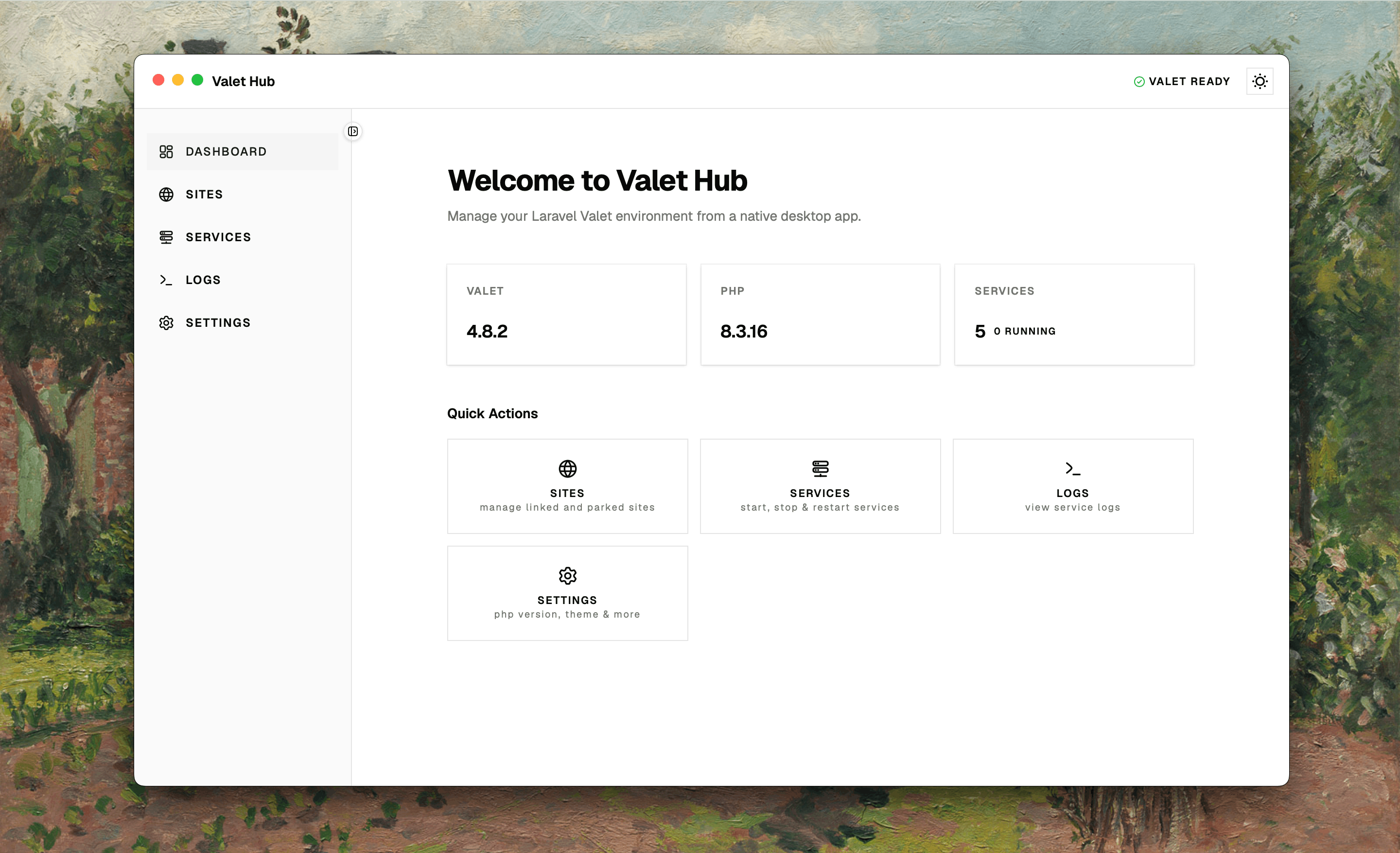
The Dashboard is the first thing you see when you open Valet Hub. It tells you what's going on with your Valet environment at a glance — which PHP version is active, whether your services are running, and quick links to every section of the app.
At a Glance
Three cards give you the essentials without digging into menus:
- Valet — the Valet version installed on your system. Useful when you're troubleshooting or want to confirm you're on the latest release.
- PHP — the PHP version Valet is currently using globally. If you've isolated a site to a different version, this still shows the default.
- Services — how many services Valet manages and how many are actually running. If the number of running services is lower than expected, it's a cue to visit the Services page.
While data loads, each card shows a placeholder animation. If a value isn't available — for example, Valet isn't installed or PHP wasn't detected — it shows ... so you know something needs attention.
Jump to Any Section
Below the stats, four buttons put the main sections of the app one click away:
| Action | What it's for |
|---|---|
| Sites | Manage your linked and parked sites — add, remove, secure, isolate PHP. |
| Services | Start, stop, and restart Valet's services. |
| Logs | View and filter logs across all services. |
| Settings | Configure PHP version, auto-start behaviour, domain, and appearance. |
Each card has an icon, a label, and a short description. Click any of them to navigate — no need to reach for the sidebar.